How to Use Codex: 5-Min Guide + Prompts | DogeSMS
Never used Codex? In 5 minutes: what it is, the 7 mistakes beginners make, 5 techniques, and copy-paste Prompt templates — AI Coding Agent quick start.
One-liner: what is Codex
Codex isn't "smarter autocomplete." It's an AI Coding Agent that reads your project, decomposes tasks, makes changes, and reviews its own work.
It's not in the same category as GitHub Copilot's "complete-the-next-line" tools. It behaves more like a junior engineer — understanding requirements, reading code, proposing approaches, writing code, self-checking.
So the real beginner question isn't "how do I write a prompt?" — it's: how do I make Codex work like a colleague, not a wish jar?
Before you start: Codex won't let you in?
Just downloaded Codex but stuck at verify your phone number? That's a new gate OpenAI rolled out in early 2026 for free Codex users. Full walkthrough with 5 screenshots:
→ Codex Phone Verification: Fix the Missing SMS Code
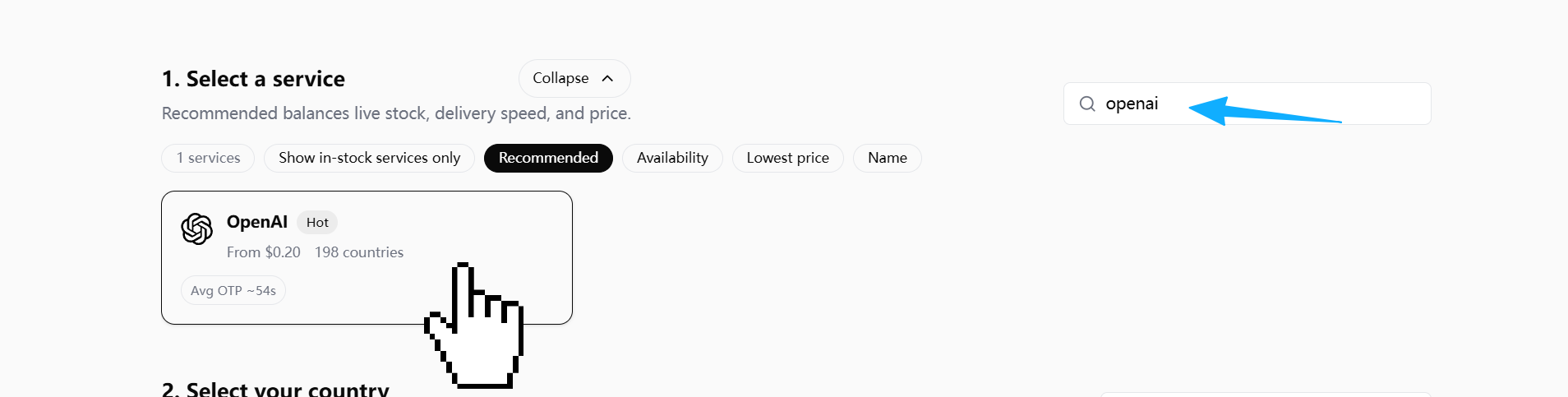
Quick rules of thumb: pick US / UK / RU numbers; don't hammer resend (OpenAI silently throttles); in the DogeSMS dashboard pick the OpenAI / ChatGPT service card (not a separate "Codex" listing).
TL;DR: 5 things to remember
- Codex isn't autocomplete — it's a task-level AI Coding Agent
- Don't ask it to write code right away — let it analyze the project first
- More specific prompt, richer context = more stable output
- Efficiency doesn't come from one-shot generation — it comes from fast iteration
- What separates power users isn't the model — it's the workflow
7 mistakes 90% of beginners make
A real wreck story
The first time I asked Codex to fix a Next.js login bug — Sign In did nothing — my prompt was one line: fix this login bug.
It refactored the entire auth flow. NextAuth config changed, form schema upgraded to Zod 4, onSubmit rewritten as a React Query mutation.
Result: original bug not fixed (it was just a missing onSubmit handler on <form>), but 20 new problems — TypeScript errors, refresh token logic broken, E2E tests all failing.
The 7 mistakes below are the diagnostic categories for that kind of wreck.
What you might actually be searching
If you've Googled any of these, here's which mistake maps to it:
| Question you might be searching | Mistake |
|---|---|
| Why doesn't Codex understand my requirements? | Mistake 1 |
| Why is Codex's output so unstable? | Mistake 2 |
| Why does Codex go off the rails on big requests? | Mistake 3 |
| Why does Codex change so much code when I ask for a bug fix? | Mistake 4 |
| Why is Codex touching files I didn't ask it to? | Mistake 5 |
| Why can't I use Codex's output directly? | Mistake 6 |
| How do I keep Codex from forgetting project rules? | Mistake 7 |
Mistake 1: Treating Codex like a chatbot
❌ Build me a blog system. — no stack, no architecture, no data source. The AI has to guess.
✅ Give a full task spec: framework, goal, constraints, files it must not touch.
Codex isn't a wish-granting machine. What you give it is a task spec, not a wish.
Mistake 2: No context
❌ Why is this component throwing an error? — the AI doesn't know your framework, the error, recent changes.
✅ Hand over the error log, related files, expected behavior, actual behavior all at once.
An AI coding agent's real capability ceiling is set by context quality.
Mistake 3: Asking for everything at once
❌ Build me a SaaS. — the more an AI outputs in one shot, the higher the chance of losing control.
✅ Have it decompose first. For each phase, list a plan before touching code.
Mistake 4: Asking the AI to just "fix the bug"
❌ Fix this bug. — AI guesses, makes broad changes, refactors on the side.
✅ Make it find the root cause and compare fixes before changing anything:
Do NOT fix the bug yet.

First:
1. Identify root cause
2. Explain why it happens
3. List possible fixes
4. Recommend smallest safe fix
The core of debugging isn't "fix it fast" — it's "find the right problem fast."
Mistake 5: Not constraining the modification scope
The AI loves "while-I'm-here refactors." One small fix becomes a 500-line diff.
✅ Explicitly tell it which files it may modify, and which it must not:
Only modify:
- auth.ts
- login.tsx

Do not touch:
- package.json
- database schema
- unrelated files
Mistake 6: Not making the AI review itself
Most people: AI writes → copy/paste.
Power users: AI writes → make AI review itself.
Review the code you just generated.

Check:
- bugs
- edge cases
- security risks
- maintainability
"Generate" and "review" are different modes for the AI. On the second pass it tends to catch missed edge cases, null risks, and permission issues.
Mistake 7: No project rule file
Re-explaining project rules every session is wasteful. Set up a coding_rules.md:
- Keep diffs small
- No unnecessary dependencies
- Preserve architecture
- Prefer readability
- Do not rewrite unrelated code
Ask Codex to read it before every task.
5 high-leverage techniques
Technique 1: Analyze first, code later
Before coding:
1. Analyze current auth flow
2. Explain data flow
3. Identify risky areas
4. Propose implementation plan
Let the AI explain what it's about to do — then approve, then let it actually do it.
Technique 2: Make the AI ask questions
Before implementation,
ask me any missing questions needed
to avoid incorrect assumptions.
One of the most effective ways to cut AI hallucinations — make it surface its assumptions.
Technique 3: Minimum-change principle
Apply the minimal possible fix.

Do not refactor unrelated code.
Do not rename variables.
Do not change formatting.
In real development, reviewable and rollback-safe matter more than "theoretically optimal."
Technique 4: Give the AI a role
Different roles, different attention:
| Role | Focus |
|---|---|
| Senior Backend Engineer | Performance, database, reliability |
| Senior Frontend Engineer | UX, state management |
| Security Engineer | Permissions, input validation |
| QA Engineer | Tests, edge cases |
Act as a senior backend engineer focused on scalability.

Review this API.
Technique 5: Iterate, don't one-shot
| Round | Action |
|---|---|
| 1 | Analyze |
| 2 | Plan |
| 3 | Implement (small change) |
| 4 | Review |
| 5 | Test |
| 6 | Refine |
The real efficiency of AI coding doesn't come from one-shot generation — it comes from fast iteration.
5 copy-paste Prompt templates
1. Project understanding
Analyze this repository before making changes.

Explain:
- architecture
- important modules
- coding conventions
- risky areas
2. Debug root cause
Do NOT fix the bug yet.

First:
1. identify root cause
2. explain why
3. compare fixes
4. recommend smallest safe fix
3. Minimal fix
Apply the minimal safe fix.

Do not rewrite unrelated code.
4. Code review
Review this code as a senior engineer.

Check:
- bugs
- security
- maintainability
- edge cases
5. Test generation
Generate tests.

Include:
- happy path
- edge cases
- error cases
Beginner vs power-user, in one picture
Beginner:
Ask → Copy → Error → Ask againPower user:
Define intent → Analyze → Plan → Implement small → Review → Test → RefineThe difference isn't prompt quality — it's whether the AI is placed inside a controlled workflow.
Want the deeper version?
This is the 5-minute quick guide. For the full 7-mistakes deep dive, 15 techniques, Codex vs Cursor / Claude Code comparison, and complete workflow methodology:
→ Codex Beginner's Guide: From Zero to Productive AI Coding Agent
One-liner takeaway
Codex's core value isn't writing code for you — it's giving you a controllable, iterable, reviewable AI collaboration process.